
Administrators can configure and customise the system and have access to the "Settings" menu.
However, Administrator access does not give a user access to Issues. To access an Issue, a user must also be assigned an Issue role. See What are the roles? for more information.
To make a user an Administrator:
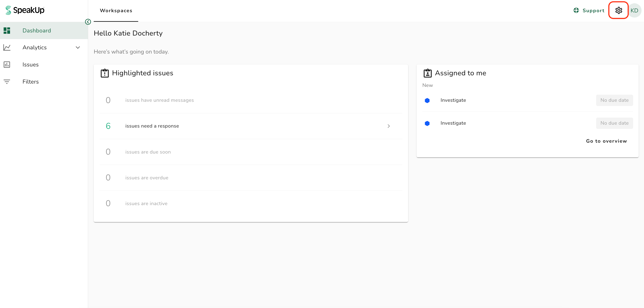
- Click on the "Settings" icon at the top right corner
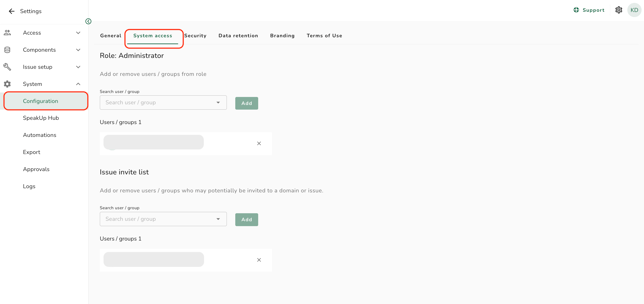
- Go to “System” in the menu, click on “Configuration” and the click on the “System access” tab
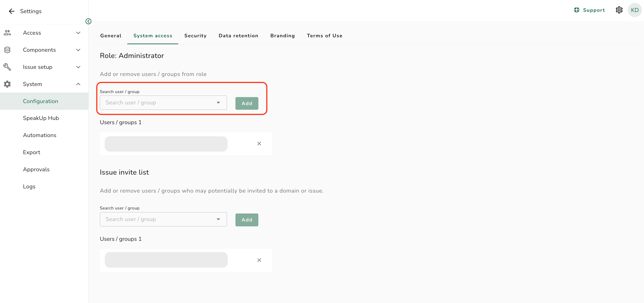
- Under 'Role: Administrator', search for the relevant user and click on “Add”
If your system also includes the Employee Hub, and employees submit disclosures directly via SpeakUp Paths, these employees will automatically have a SpeakUp account.
In this case, you can see here how to control user access to Issues.