
To customise your e-mail notifications:
-
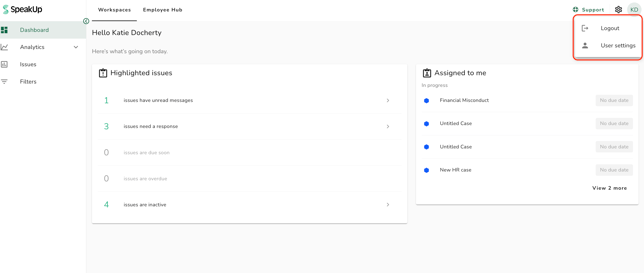
Click on your initials on the top right corner of the system (next to “Support”) then click on “User settings”
-
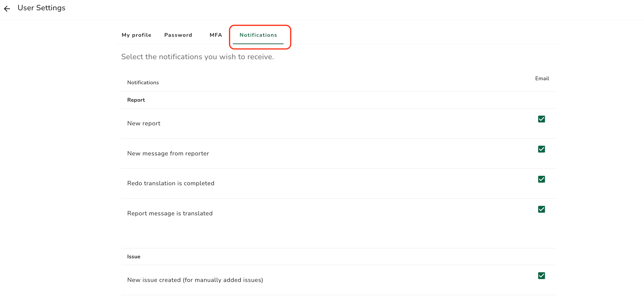
Select the tab “Notifications”
-
You can then customise your notifications by ticking or unticking the relevant boxes.
The notifications will vary depending on your role. For a complete overview of which notifications are received by each role: What kind of email notifications will I receive?