
You can't delete an Issue, including test Issues. To keep test Issues out of your Issues overview and analytics, move them to a separate Domain that no users or groups can access.
You need the "Administrator" role to create a Domain, and the "Issue manager" role on each test Issue to manage its access and move it.
Step 1: Create a Domain for test Issues:
-
As an Administrator, create a new Domain to store all your test Issues. Go to How do I create a Domain? for instructions.
-
Give the Domain a clear name, such as "Only for test Issues (do not use)". Don't give any users or groups access to this Domain. That way, nobody can see the test Issues you store there.
Step 2: Remove Issue level access:
Users and groups with access on the Issue level keep that access when you move an Issue to another Domain, so you need to remove it first.
- Go to "Issues" and open the test Issue.
- Click "User access" at the top of the Issue page
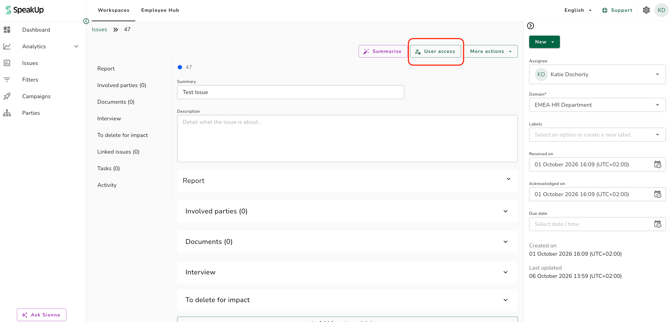
- Check the coloured label next to each user or group to see where their access comes from:
- Grey: access on the Domain level
- Green: access on the Issue level
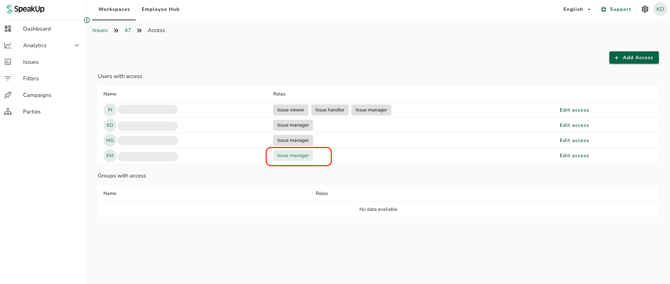
- Remove all access to users with a green label. Go to How do I remove or change a User's role for an Issue? for instructions.
You don't need to change access with a grey label. This access ends when you move the Issue to the new Domain.
Step 3: Move the test Issue to your test Domain:
- Open the test Issue
- In the right hand panel, under "Domain", select the test Domain you created in step 1 from the dropdown menu, and click "Save"
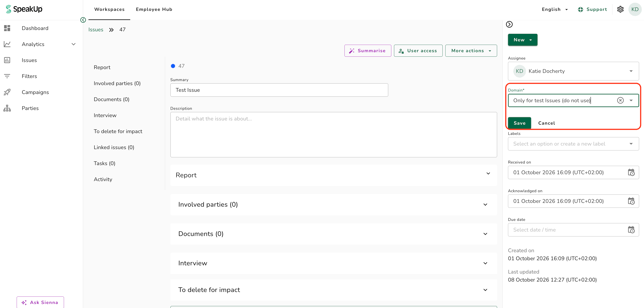
- A pop will appear asking to confirm the move. Click "Move"
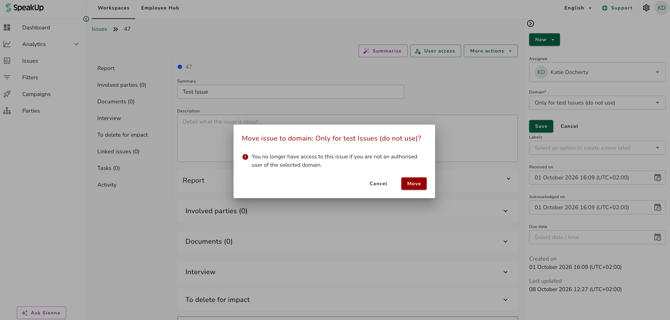
Repeat steps 2 and 3 for each test Issue.
Step 4: Remove any remaining Task access:
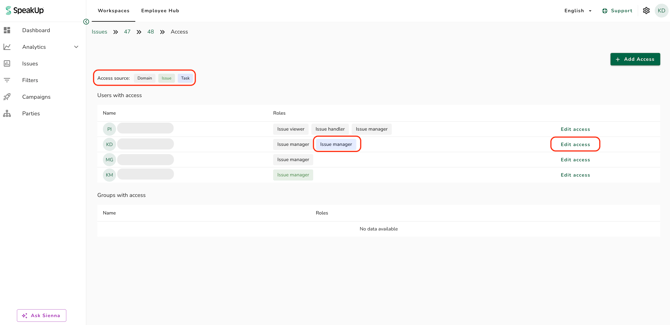
If Tasks from a test Issue still appear in your Issues overview, you still have access to them on the Task level (blue label). To remove it:
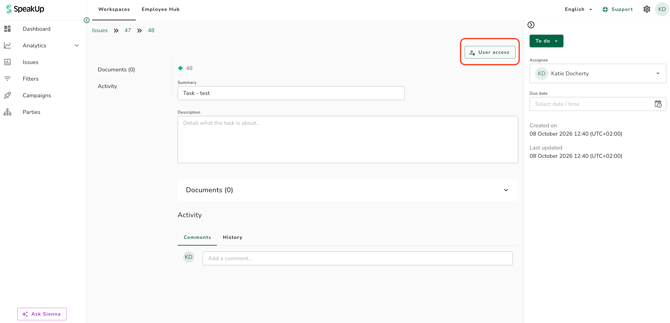
- Open the Task and click "User access".
- Click "Edit access" next to your name.
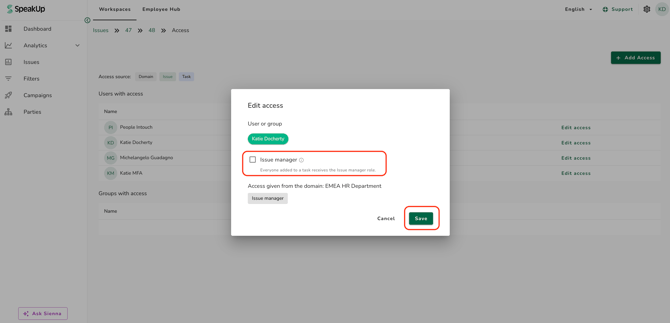
- Uncheck "Issue manager" and click "Save".
Go to How do I manage user access on a Task? for more information.
When you close a test Issue, select "Test case" as the resolution. You can then filter test Issues out of your analytics reports. Go to Steps to send a test Issue for more information.
If your organisation uses custom roles, the permissions needed to manage access and move Issues may differ from the "Issue manager" role described above.