
Proxy reporting lets designated Users file submissions and complete Campaign assignments on behalf of others in the SpeakUp Hub.
You need Administrator rights to set it up, and the SpeakUp Hub must be enabled on your platform. Refer to What is proxy reporting? to learn how it works.
Proxy reporting is disabled by default.
Steps to set up proxy reporting:
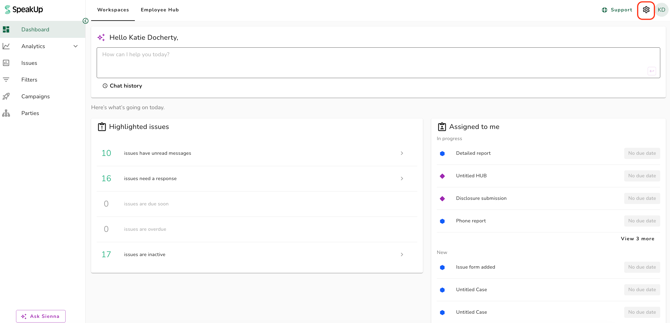
- Click on the "Settings" icon at the top right corner
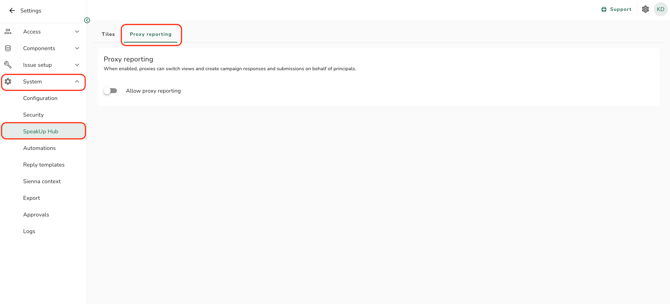
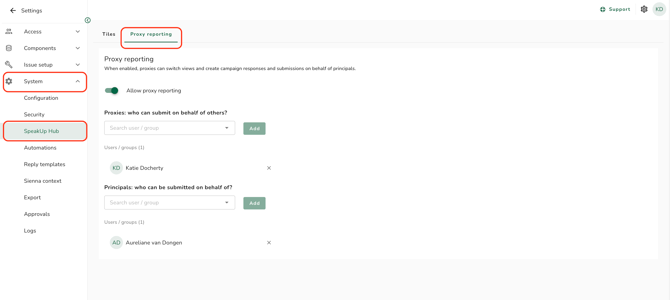
- Go to "System" on the menu and click on "SpeakUp Hub"
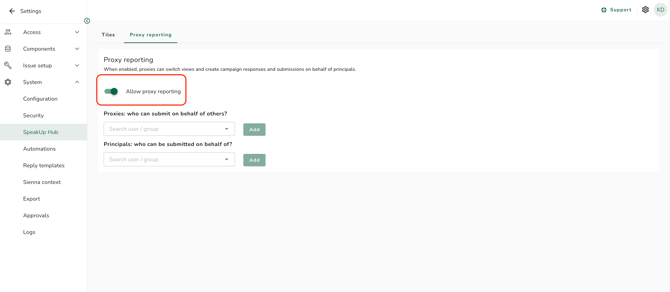
- Click the "Allow proxy reporting" toggle on to enable:
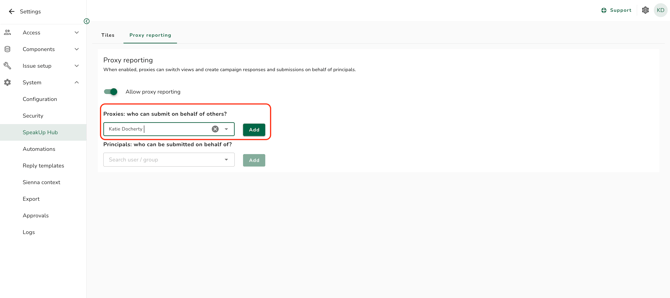
- Select the Users and/or Groups who may act as Proxy on behalf of others from the dropdown menu. Click "Add"
- Select the Users and/or Groups who may act as Principle on behalf of others from the dropdown menu. Click "Add"
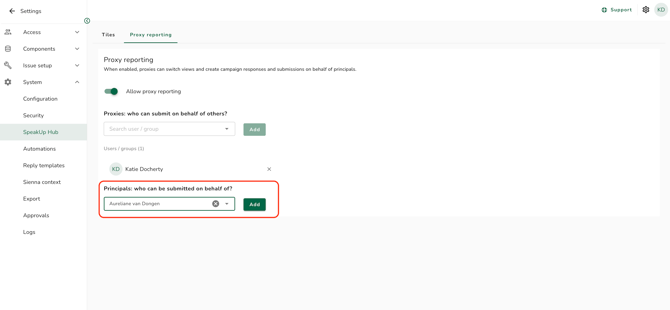
- To remove a User or Group, click the "x" next to the Proxy or Principal name, then click "Remove".
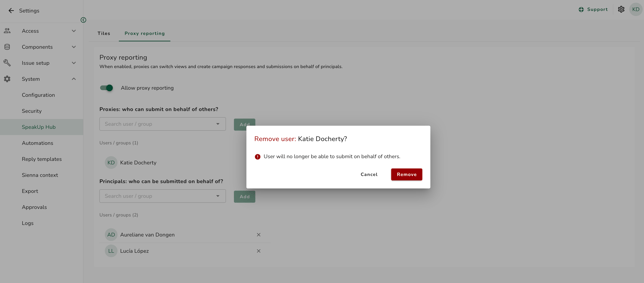
Any User on the Proxy list can act on behalf of any User on the Principal list. Proxy reporting does not support one-to-one pairing between specific Users.
-
You can add both Users and Groups to either list. Group membership is resolved dynamically, so anyone added to a Group later is included automatically, and disabled Users are always excluded.
- A User can appear on both the Proxy and Principal list.
-
A Principal must be an existing SpeakUp User with an email address and account, so that submissions can be attributed to them and they can be notified.
Disabling proxy reporting:
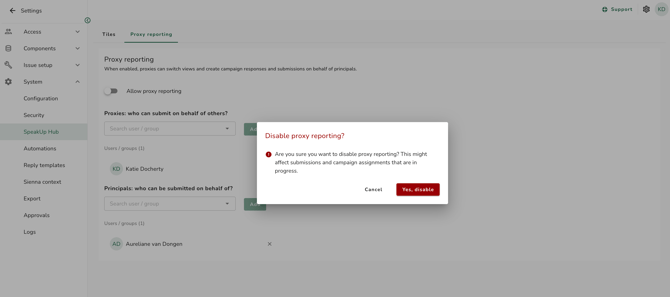
When you disable proxy reporting, a confirmation appears warning you that any in-progress proxy drafts will be discarded and Proxies will lose the ability to act on behalf of others.
- Go to "System" on the menu and click on "SpeakUp Hub" and open the "Proxy reporting" tab:
- Turn off the "Allow proxy reporting" toggle, then confirm by selecting "Yes, disable" in the pop-up message:
-
Principals keep full access to everything already filed on their behalf, and the "Submitted by" record is preserved. Only the ability to act as a Proxy is removed.
-
Enabling or disabling proxy reporting, and adding or removing Users or Groups on either list, is recorded in the system audit log.
Proxy reporting is part of our SpeakUp Paths offering. If you are interested in knowing more about this package, contact your Customer Success Manager by clicking 'Support' and 'Contact support'