
Skills are instructions your Administrator has written for Sienna, such as how to summarise a case or plan an interview. When you add a skill to your question, you get the same method every time without typing it out.
To add a skill to a question:
Refer to What is Sienna Insights? and How do I create a skill for Sienna? to learn more.
To add a skill to a question:
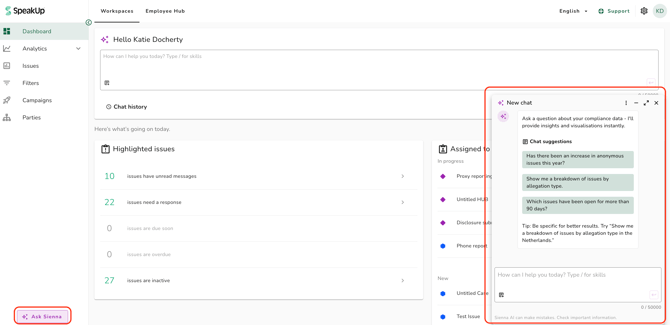
- Open Sienna by clicking on "Ask Sienna" at the bottom of the main sidebar, or click into the Sienna widget at the top of the dashboard
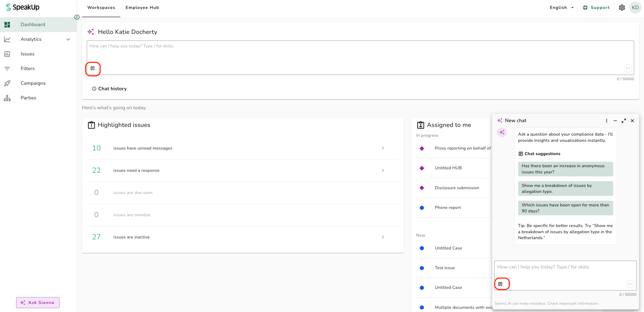
- Click on the "Skills" button at the bottom left of the message field, or type "/"
- Click on the skill you want. You can search the list by name. If you typed "/", keep typing to filter the list and press Enter to add the highlighted skill.
- The skill appears as a 'chip' in your message. Add your own words before or after it, for example a time period or what Sienna should focus on.
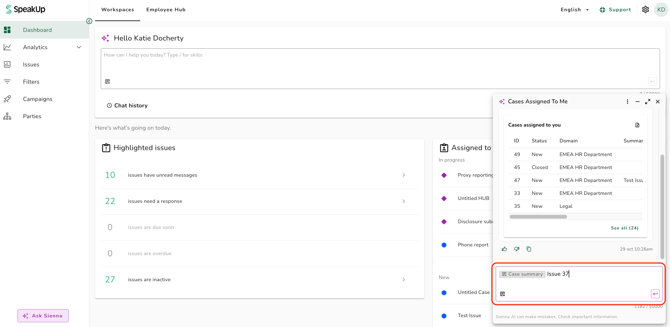
- Press Enter or click on the send button to send your question
Using a skill on an open Issue:
Sienna knows which Issue you have open. Open the Issue, then add a skill such as "Case summary" or ask "What are the next steps on this case?". Sienna answers about that Issue without needing its number. When you ask from a different Issue than before, the Issue's number appears below your message, followed by "added as context".
Sienna can only see an Issue's own page. On a Task, the Issues overview, the dashboard or any other page, Sienna does not know what is on your screen and asks you for the Issue number.
- You can add more than one skill to the same message.
- Your conversation shows the skill as a 'chip', not its full instructions. Hover over a 'chip' to see its full name.
- If your Administrator edits or deletes a skill after you used it, the 'chip' in your past conversation shows that it has been edited or deleted. The answer you already got does not change.
- A skill's instructions count towards the message length limit, so a long skill leaves less room for your own text.
- If the list says "No skills yet", your organisation has not created any skills yet. Ask your Administrator.
- A skill only ever uses data you already have access to.
Refer to What is Sienna Insights? and How do I create a skill for Sienna? to learn more.