
A Channel must always be attached to a Domain (What is a Domain?).
To create a new Channel:
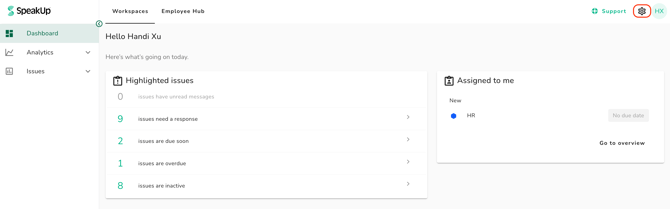
- Click on the "Settings" icon at the top right corner
-
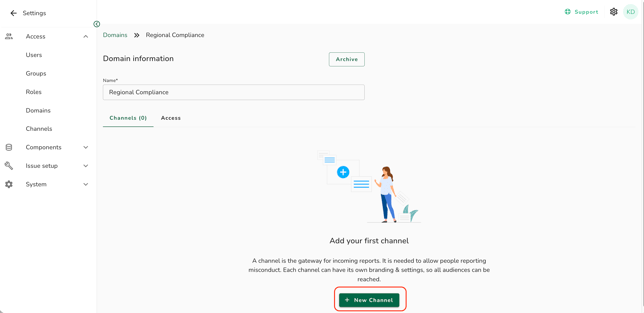
Go to “Access” on the menu and click on “Domains”
-
Click into the relevant Domain
-
Click on “New channel”
-
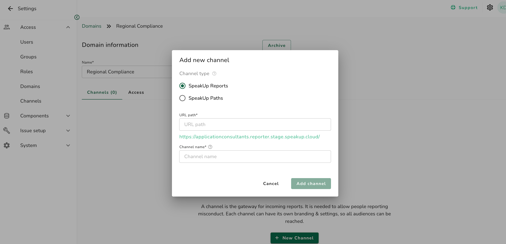
A pop-up window will appear; Click 'SpeakUp Reports', enter the name of your Channel under 'URL path' and the heading you wish to be displayed on the SpeakUp interface
-
Click on “Add channel” to complete the process
Once a Channel and Domain has been linked together, you can not link the Channel to another Domain. What you can do is to set up auto-routing or change the User access of the Domain(s). Refer to How do I set up automations? and How do I give a User access to a Domain? to learn more.