
To download an Issue:
-
Click on “Issues” on the left hand menu, then click on the relevant Issue you want to download
- Click on “More actions”
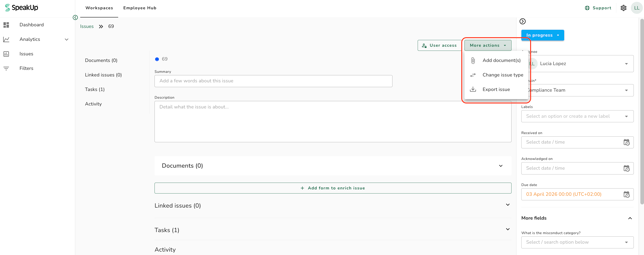
- Click on “Export Issue”
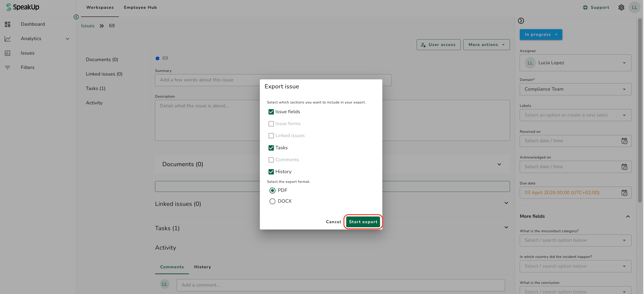
- A pop up box will appear; tick the boxes of the details you want to include in your export and the type of format. Once your selection is completed click on ''Start export''
- A file will be downloaded to your computer.
The exported Issue might contain sensitive data.
Ifcase management languages are enabled for your organisation, the Reporter's messages and Reporter intake form answers are shown in your Workspace language, with their original text alongside. Text written by Users, such as comments, stays in the language it was written in.