
You can update the configuration of an Identity Provider after it has been enabled, or remove it entirely if it is no longer needed. Removing an Identity Provider also removes the email domains mapped to it and may affect Users who authenticate through it.
Edit an Identity Provider:
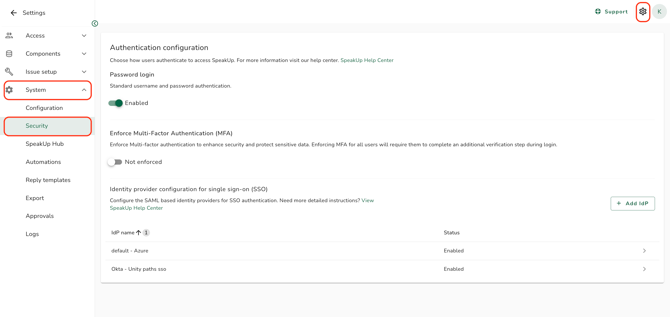
- Click on the "Settings" icon in the top right corner.
- Go to "System" and click on "Security".
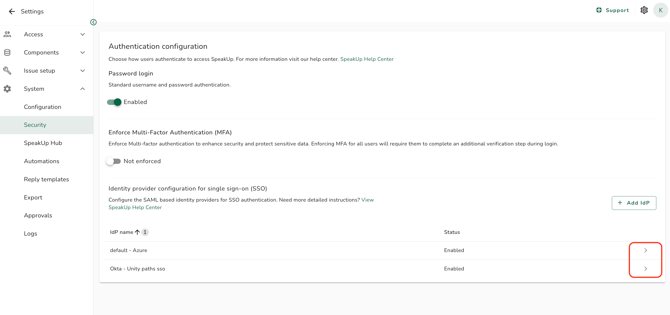
- Open the Identity Provider you want to edit.
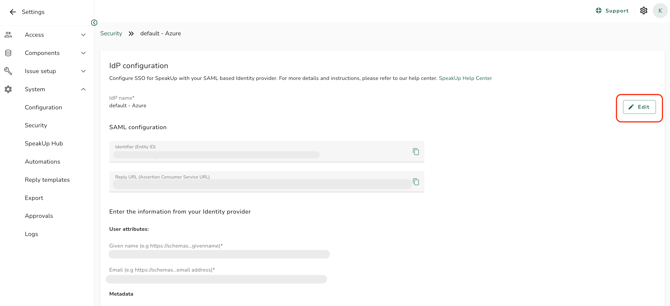
- Click on "Edit" in the section you want to change.
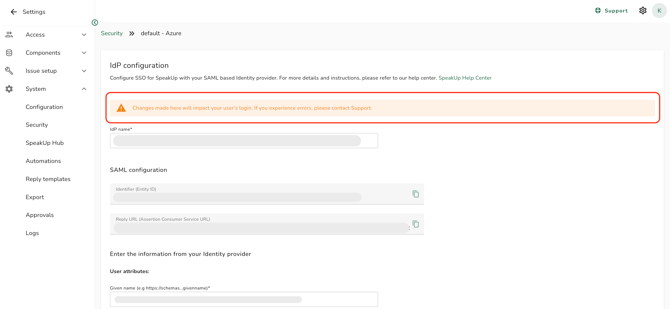
- Update the values, then save. A warning message appears at the top of the screen if the Identity Provider is currently enabled, so you can confirm the impact before saving.
Remove an Identity Provider:
- Click on "Settings", go to "System" and click on "Security"
- Open the Identity Provider you want to remove.
- Click on "Remove IdP".
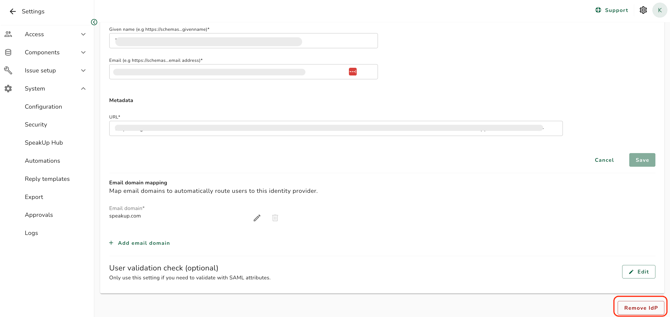
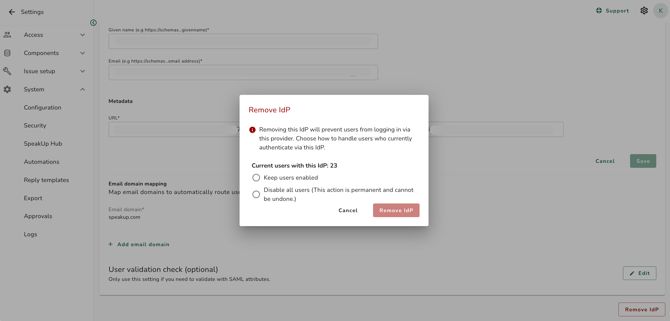
- A confirmation dialog appears showing how many Users are currently authenticating via this Identity Provider. Choose what should happen to those Users:
- Disable all affected users: their access is revoked immediately.
- Keep users enabled: Users remain enabled but are no longer linked to this Identity Provider.
- If password login is enabled and you choose to keep Users enabled, you can optionally send an invitation email so affected Users can set up a password.
- Click on "Confirm" to remove the Identity Provider. The email domain mappings associated with this Identity Provider are also deleted.
- Editable fields: Name (unique, maximum 50 characters), User attributes, User validation, and Email domain mapping. Refer to How do I map email domains to an Identity Provider? for domain-specific rules.
- If you remove the last Identity Provider, password login is automatically enabled so that Users can still sign in.
- Users who are no longer covered by an active Identity Provider, and who do not receive a password invitation, become unresolved. Refer to What is an unresolved user?