
The Library in case management (Workspaces) shows every live Document your organisation keeps, so that you can cite a policy by its ID while assessing an Issue.
To find a Document:
To find a Document:
- Click on "Library" on the left-hand menu
- Search for the Document by name, or browse the list
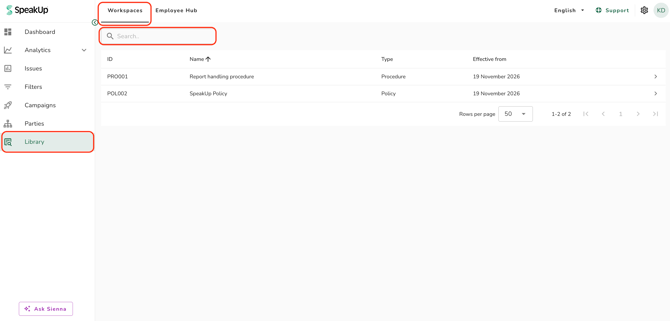
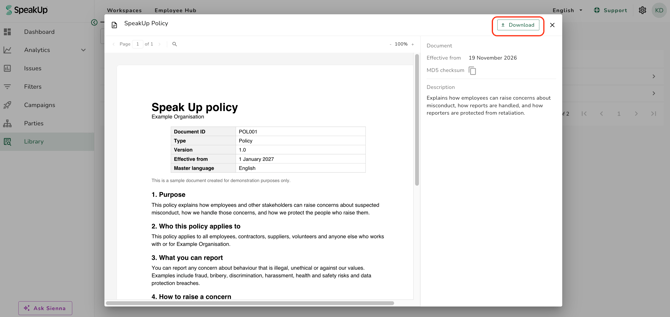
- Click on the Document; a pop-up window will appear
- Read the Document, or click on "Download" to keep a copy
- The list shows the ID, the name, the type and the date the Document took effect, ordered alphabetically by name.
- The pop-up window shows the file alongside a "Details" panel with the name, the effective date and the description.
- You see every live Document, including Documents your organisation has not published to the Employee Hub. You do not see a Document that is Planned or Archived.
- The "Library" item is hidden from the menu entirely while no Document is live.
- Refer to What is the Policy Library? to learn more.
This feature is available on certain packages. To find out more, contact your Customer Success Manager by clicking “Support” and “Contact support”.