
The Policy Library is where your organisation keeps the documents it wants to share with its people, such as policies and procedures.
This feature is available on certain packages. To find out more, contact your Customer Success Manager by clicking “Support” and “Contact support”.
How a Document is built up:
A Document holds the details that identify the policy: an ID, a type, a name and a description. These stay the same however often the policy is revised.
Each revision is a version. A version holds the master file and the date it takes effect, and is shown as its number and that date, for example "V3 - 1 January 2026". Revising a policy means adding a version rather than replacing the Document, so the record of what was published, and when, stays intact. A version can also include one translated file per language. People see the file in their own language if a translation is available; otherwise, they see the master file.
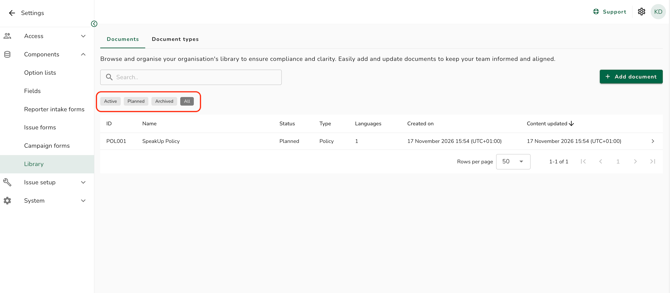
The three statuses:
- Active: a version is live and people can read it.
- Planned: every version is dated in the future, so nobody can read it yet.
- Archived: an Administrator has archived the Document and it is no longer shown anywhere.
- All: all Documents
Where Documents appear:
Administrators manage the Library under "Settings", in "Components".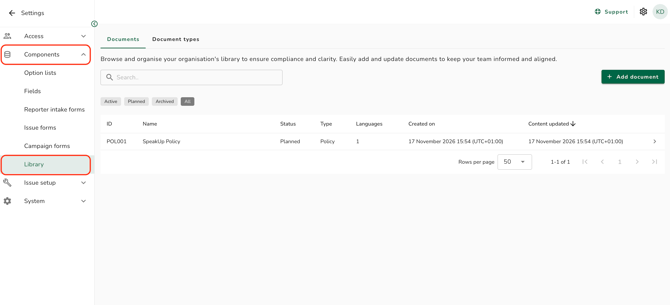
Users see every live Document under "Library" in Workspaces.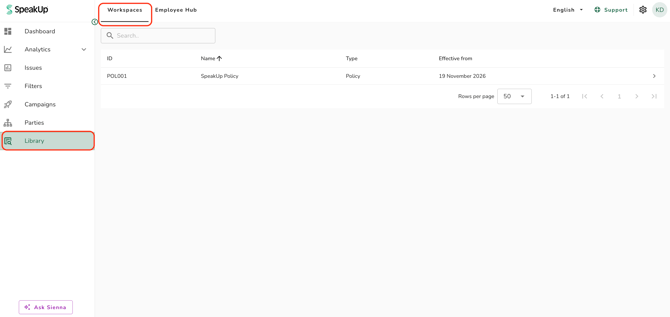
If your system has SpeakUp Paths, employees see the Documents published to them on the "Library" tab of the Employee Hub.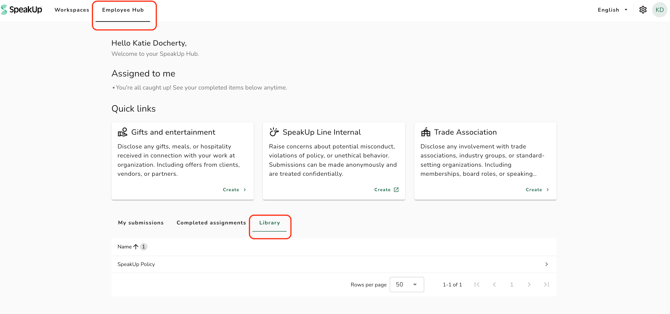
Refer to How do I create and manage a library Document? and How do I show a Document in the Employee Hub? to learn more.