
Sienna must be enabled for your organisation. To request this, click "Support" and "Contact support".
Every organisation starts with three default skills: Case summary, Interview plan and Board benchmark report. They are written in English and you can edit or delete them like any other skill.
To create a skill:
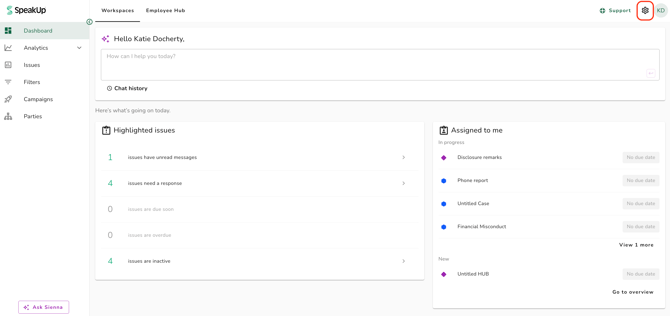
- Click on the "Settings" icon at the top right corner
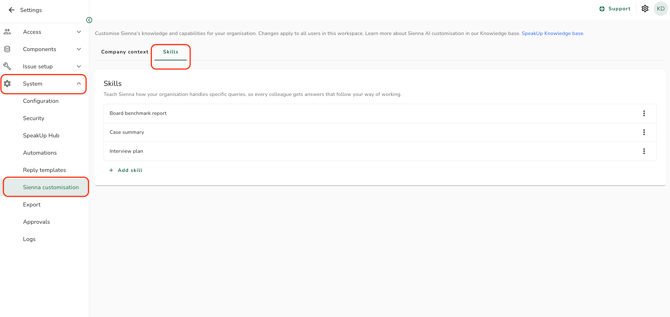
- Go to "System" on the menu and click on "Sienna customisation" and click on the "Skills" tab
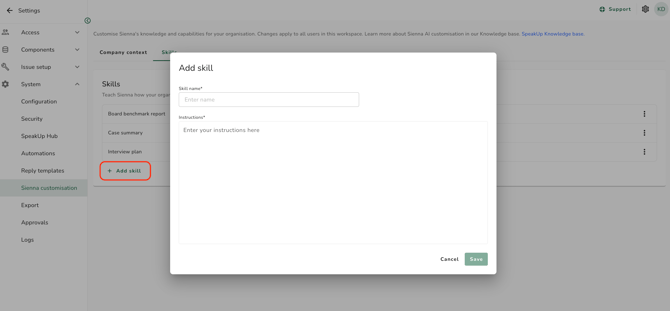
- Click on "Add skill"; a pop-up window will appear
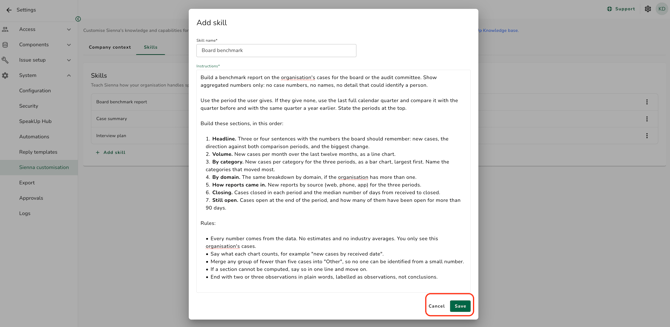
- Enter a name in the "Skill name" field. Users pick the skill by this name, so keep it short and clear.
- Write the steps Sienna should follow in the "Instructions" field. To format text, select it and choose a heading, list, quote, bold or italic from the menu that appears.
- Click on "Save" to complete the process
To edit a skill:
- On the "Skills" tab, click on the three dots next to the skill and click on "Edit skill"
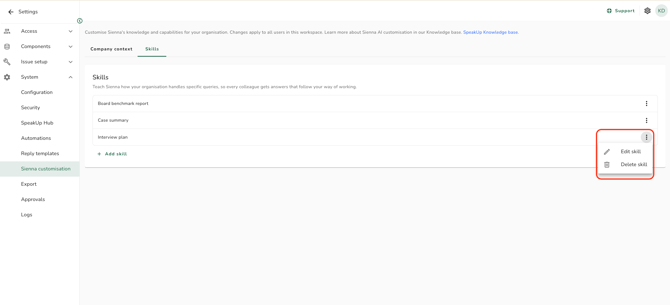
- Change the name or the instructions
- Click on "Save" to save your changes
To delete a skill:
- On the "Skills" tab, click on the three dots next to the skill and click on "Delete skill"
- Click on "Yes, delete skill" to confirm
Writing the instructions:
Write the instructions the way you would brief a colleague: what to look at, which steps to take, and how to lay out the answer. Open the default skills to see examples (click on the three dots next to the skill and click on "Edit skill").
A skill about one case works best when users run it with that case's Issue open, because Sienna Insights then knows which Issue they mean.
- A skill name can be up to 60 characters and must be unique in your organisation. Capitals do not count, so "Case summary" and "case summary" are the same name.
- Instructions can be up to 10,000 characters. You cannot save while the name or the instructions are over the limit.
- Every user with access to Sienna Insights sees the same list of skills. A skill cannot be limited to a Domain or to a group of users.
- Changes apply straight away for everyone. A message that already used a skill keeps the instructions it was sent with, and shows that the skill has been edited or deleted since.
- A deleted skill cannot be restored. This includes the default skills.
- Skills are not translated. Users see the name and instructions as you wrote them, whatever their interface language.
- A skill runs with the permissions of the user who uses it, not those of the Administrator who wrote it. Sienna never shows a user an Issue they cannot open.
- Creating, editing and deleting a skill is recorded under "Logs".
Refer to How do I use skills in Sienna? and How do I configure Company context for Sienna Insights? to learn more.